
Bob! Desk changelog
Changelog
The latest Bob! Desk releases and improvements.
By continuing, you agree to our T&C and Privacy Policy.
📄 Disputed invoices: clearer information
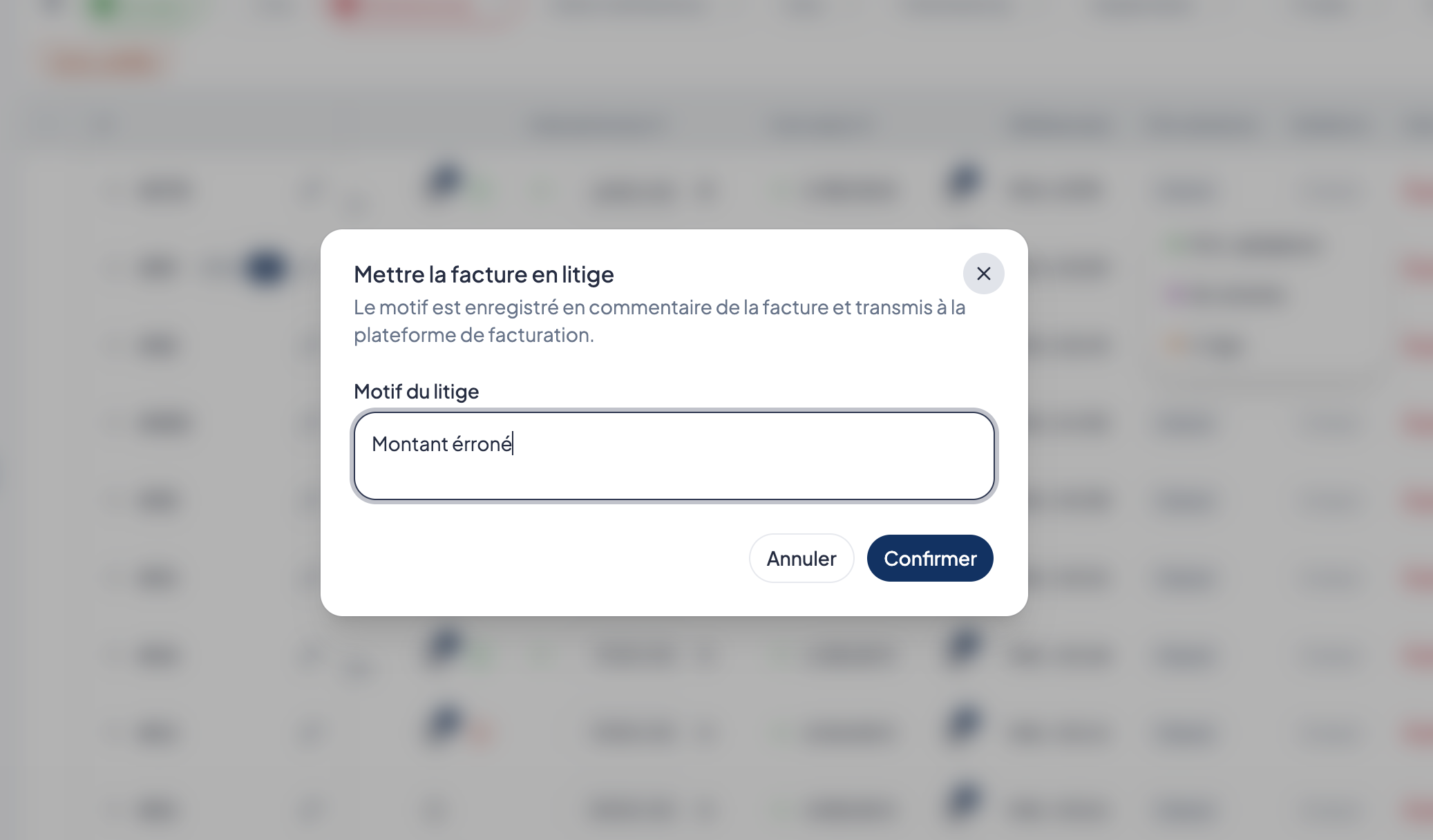
We have improved how disputed invoices are handled:
✅ In a bulk action, the dispute reason is only saved if the status change is accepted.
📩 The email sent to the provider now clearly states the invoice concerned, the reason for the dispute, and that payment is suspended until it is resolved.
🌍 Its content has also been made consistent across the 13 available languages, with direct access to the relevant job.
🔒 Safer emails and links working again
The security and reliability of emails sent by Bob! Desk have been improved. 🔒
Text entered in the app, such as the title of a claim or a comment, is now always displayed correctly, even when it contains unusual characters.
We also fixed the buttons in the Monday morning emails, the overdue maintenance emails and the call for tenders emails: they now go to the right page again. ✅
🌍 Reserves and reports
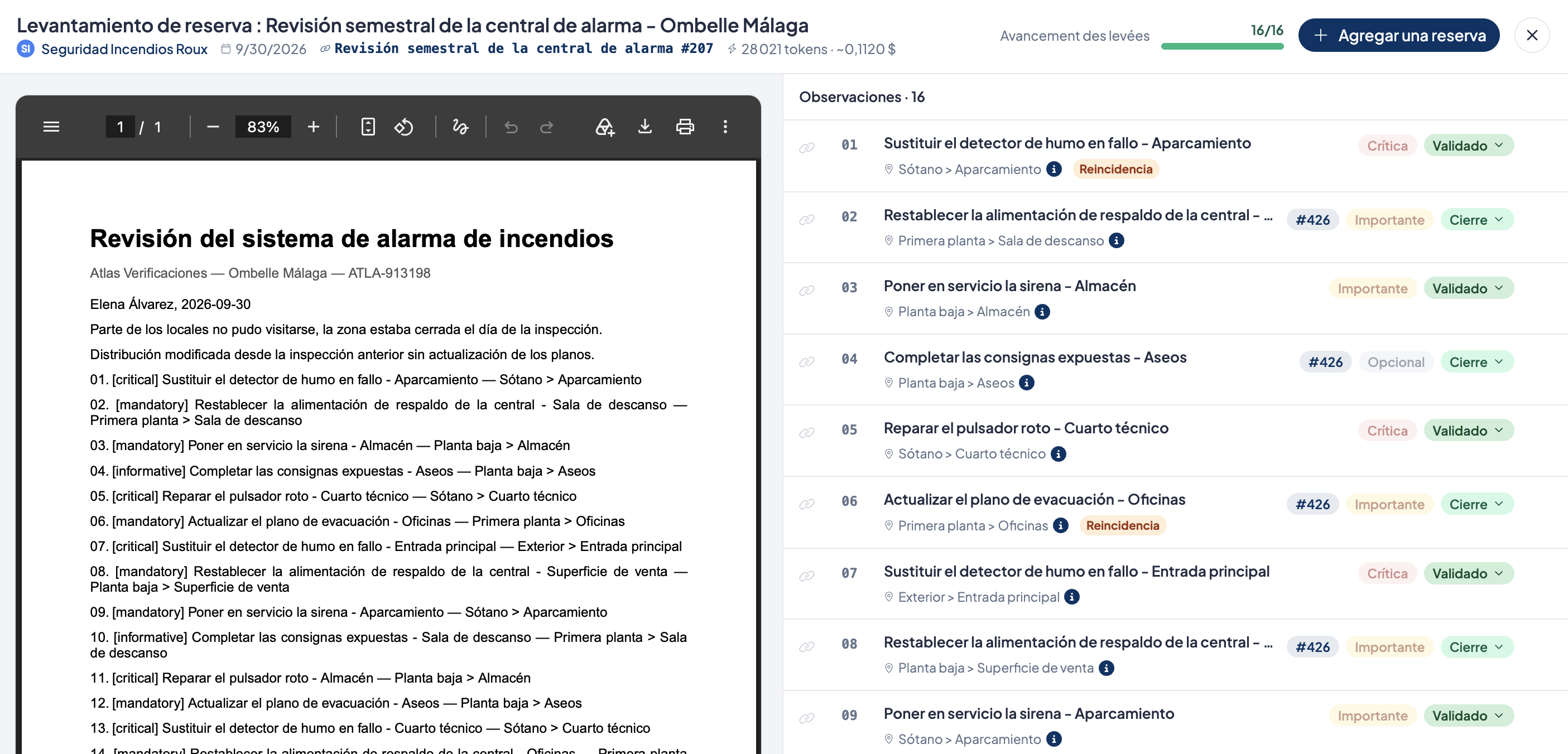
Automatically translated punch lists
When you create a punch list, you can now say which language it is in. Its content is automatically translated into the 12 other languages available in Bob! Desk.
Each user can then read the punch list in their own language. If the original text is corrected, the translations are updated automatically. You can also still edit a translation by hand.
Reports that are easier to share and track
From a report's menu, managers can now make it visible to all contractors.
Several improvements also make tracking easier:
reports with no punch list items are clearly marked;
the source of the data stays visible when a contractor changes during a job;
the status of a maintenance period now updates correctly when all punch list items are cleared;
your filters are kept after you view a report in full screen;
deleting a report also removes its PDF from the period it belongs to.
🛠️ Interventions and maintenance
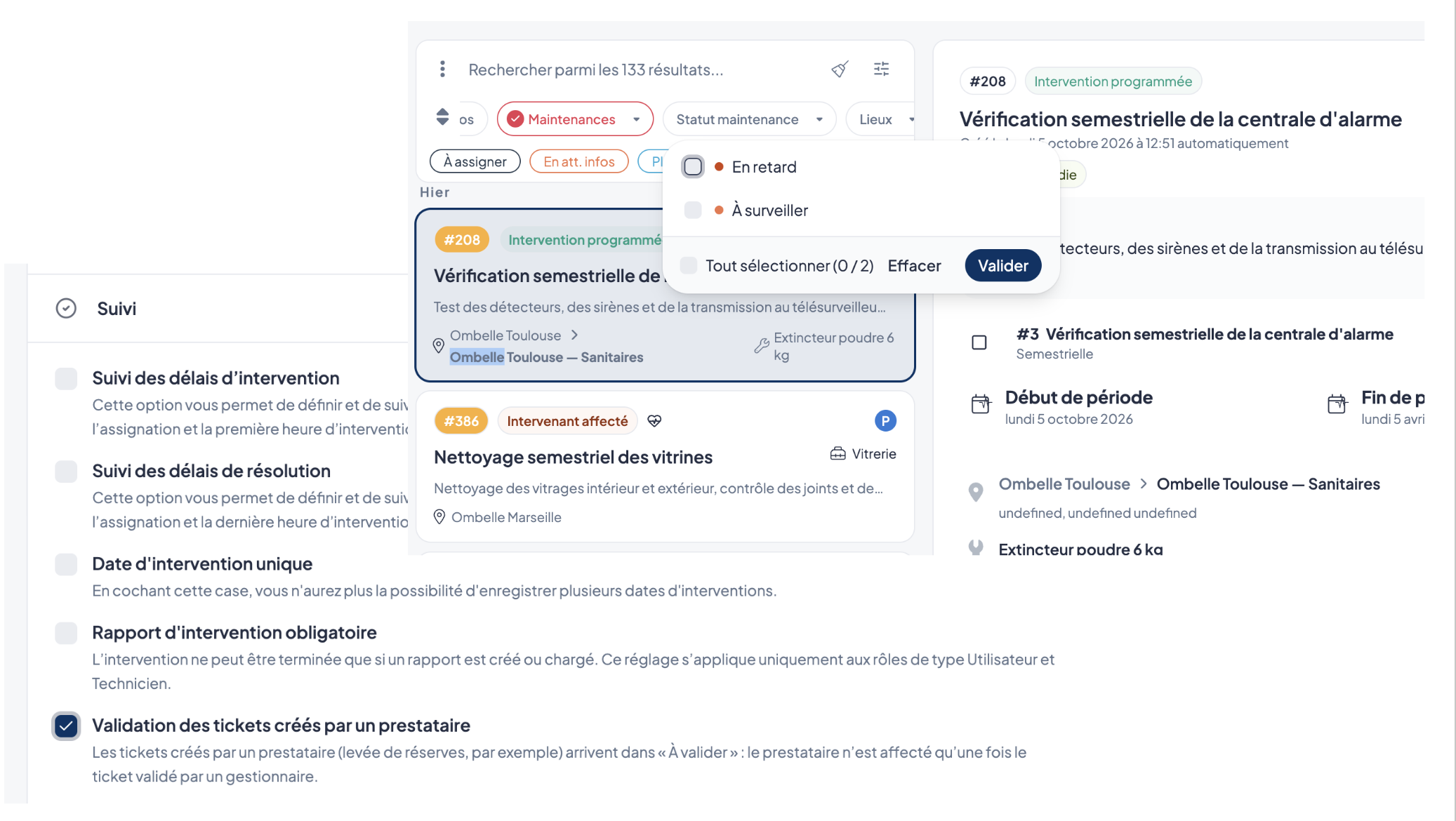
Validate tickets created by your providers
A new option is available in Settings > Interventions > Tracking: Validation of tickets created by a provider.
When it is on, the tickets concerned are created with the status Pending validation. They are not assigned to anyone before they are validated, and a Provider badge lets you spot them in the list.
This option is off by default.
Filter maintenances by status
A new Maintenance status filter lets you show interventions by the state of their deadline:
overdue;
to watch;
in progress.
This filter appears automatically when you select maintenances in the list of interventions.
More reliable statuses and notifications
Tickets whose planned date has passed once again change status automatically.
Notifications for interventions to validate are sent to everyone authorized on the ticket's scope, including sector managers.
Assignment emails now show the custom fields shared with the provider.
🧾 Billing
🧾 Billing
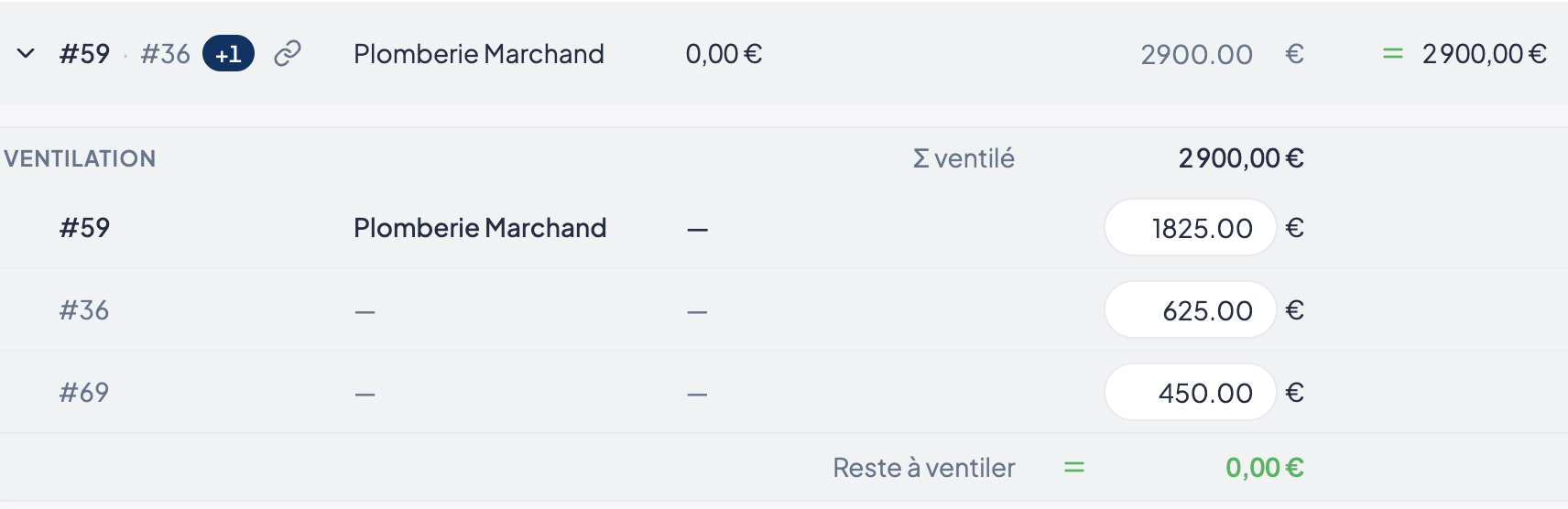
A more readable breakdown
The invoice breakdown layout has been redesigned:
amounts are better aligned;
the header stays visible while scrolling;
the main invoice is highlighted;
split lines are easier to tell apart.
More complete handling of rejections
All eight rejection reasons are available again, including Autres. The chosen reason and the manager's comment are now sent separately to the platform.
The Non concerné reason lets the document move on to the next step. An invoice in dispute stays on hold until the dispute is resolved.
The dispute email can also be turned off depending on the user's role.
✨ Improvements to simplify your day-to-day
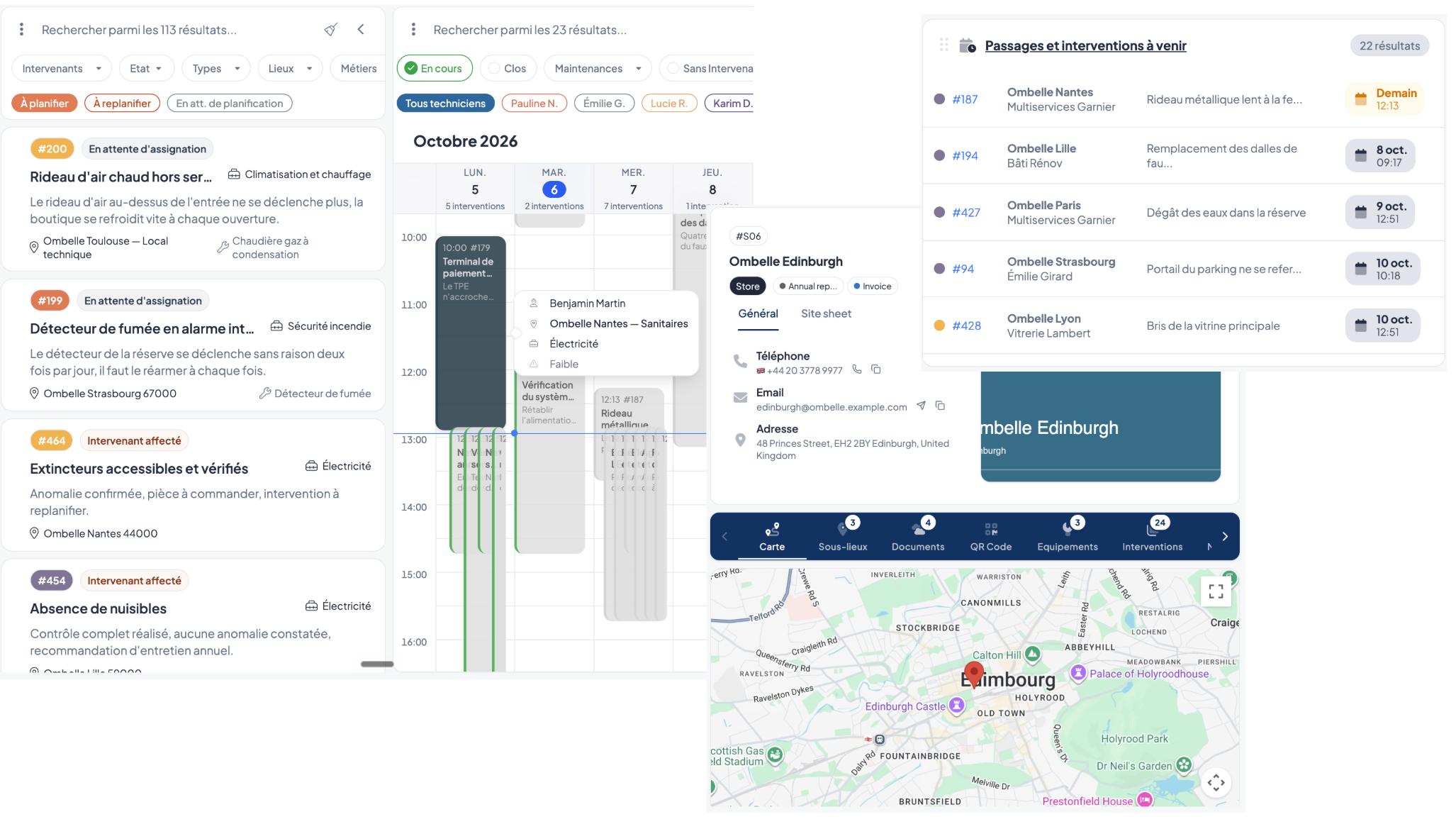
📅 Calendar and dashboard
A more accurate calendar
The site name now appears next to its address in a ticket preview. Calendar colors are also updated after an assignment.
Reliable shortcuts on the dashboard
The links on the Upcoming visits and jobs card now show the expected appointments, even when a personal filter set is saved.
Sorting by appointment date also stays correct when more than 100 events are shown.
🔐 Permissions and roles
Permissions are now better applied to:
exports;
report templates;
creating and deleting tags.
Actions you aren't allowed to do are now hidden, to make the interface clearer. Existing role permissions were adjusted automatically where needed.
📍 Places and data
The city is now correctly recognized in more address formats, including some UK addresses, Italian municipalities and some neighborhoods.
The Meters, Leases and Warranties modules also got reliability improvements, with no change in how they are used.
🎨 Interface
In settings, a Back to the app arrow replaces the close cross.
When a quote, an invoice or a report can't be deleted, Bob! Desk now shows a specific explanation to help you understand the situation.
📊 An enriched Work orders dashboard
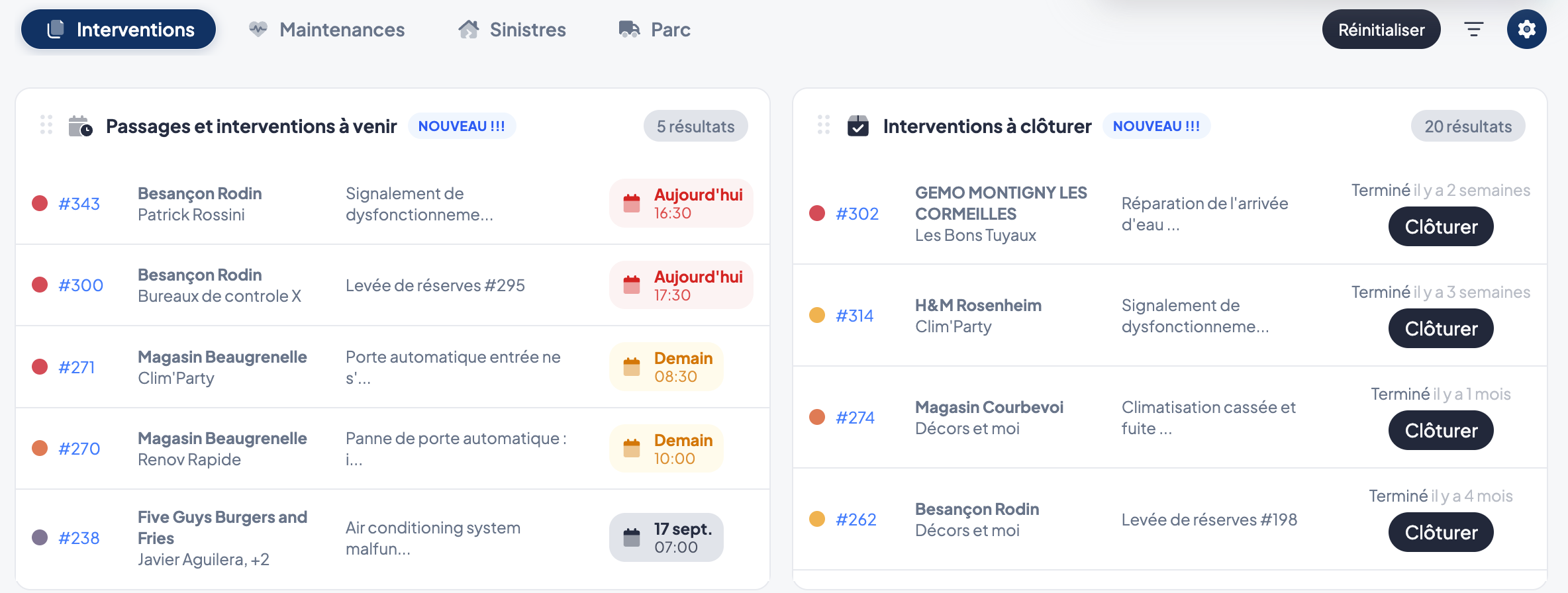
The curative dashboard is evolving to give you better visibility on the next actions to carry out.
You can now find directly:
📅 upcoming visits;
🔧 upcoming work orders;
✅ work orders still to be closed.
Enough to identify more quickly the work orders that need your attention.
🔧 More flexibility in tracking your preventative
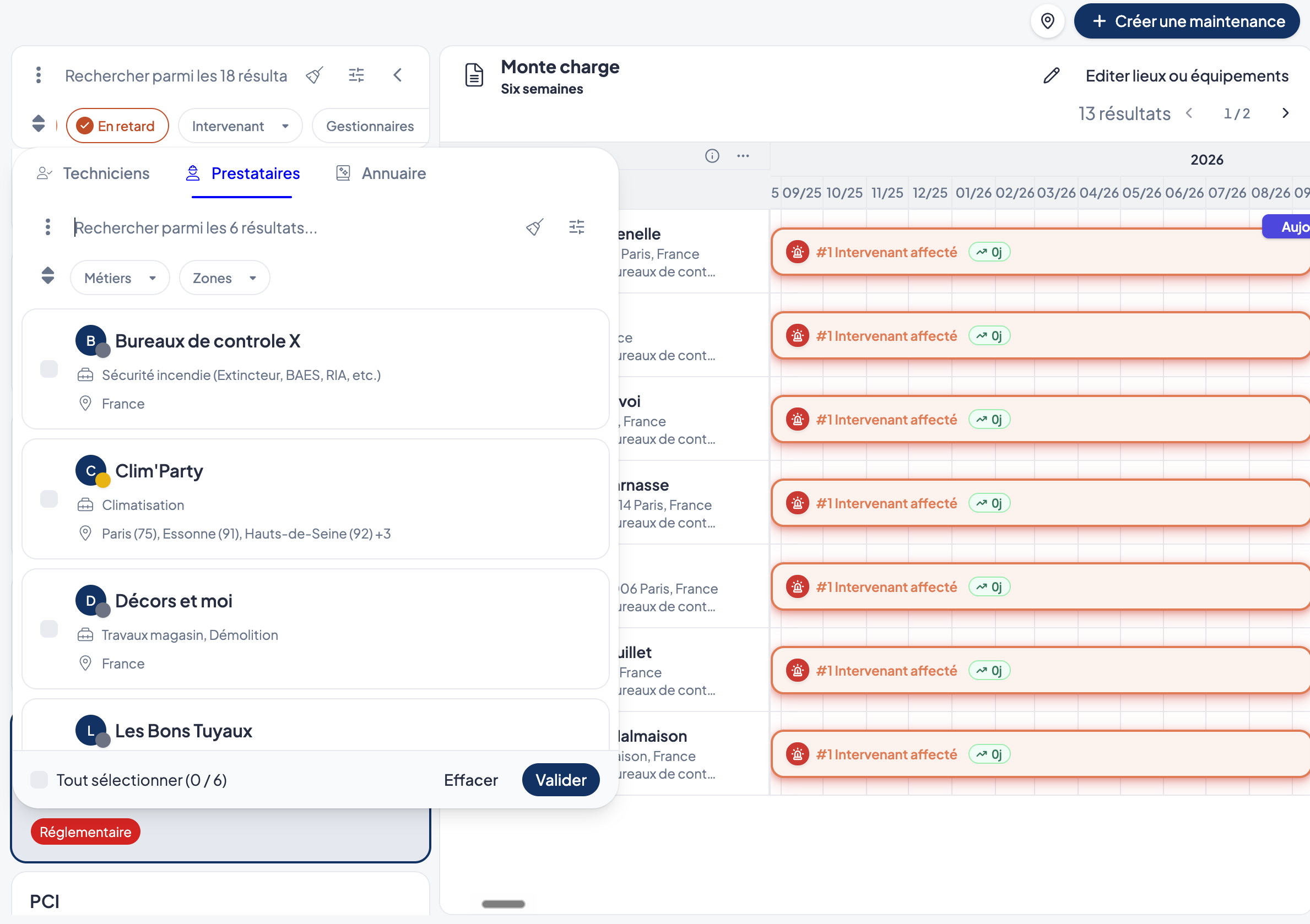
Several new features make it easier to track your maintenance work and its reservations:
📋 Maintenance report and reservation management evolves: when a service provider uploads a report on a maintenance, it remains the property of the maintenance's creator. The same applies to associated reservation resolution tickets.
On the service provider side, the Reservations module only displays reports:
containing reservations assigned to them;
or associated with maintenance they created themselves.
🔒 This way, each service provider focuses only on the reservations and maintenance that concern them.
👷 Filter your maintenance by participant to more quickly find those concerning a given person.
👥 You can now attach users to a maintenance to identify the people involved in its tracking.