
Bob! Desk changelog
Journal des modifications
Les dernières versions et améliorations de Bob! Desk.
En continuant, vous acceptez nos CGU et Politique de confidentialité.
📄 Factures en litige : des informations plus claires
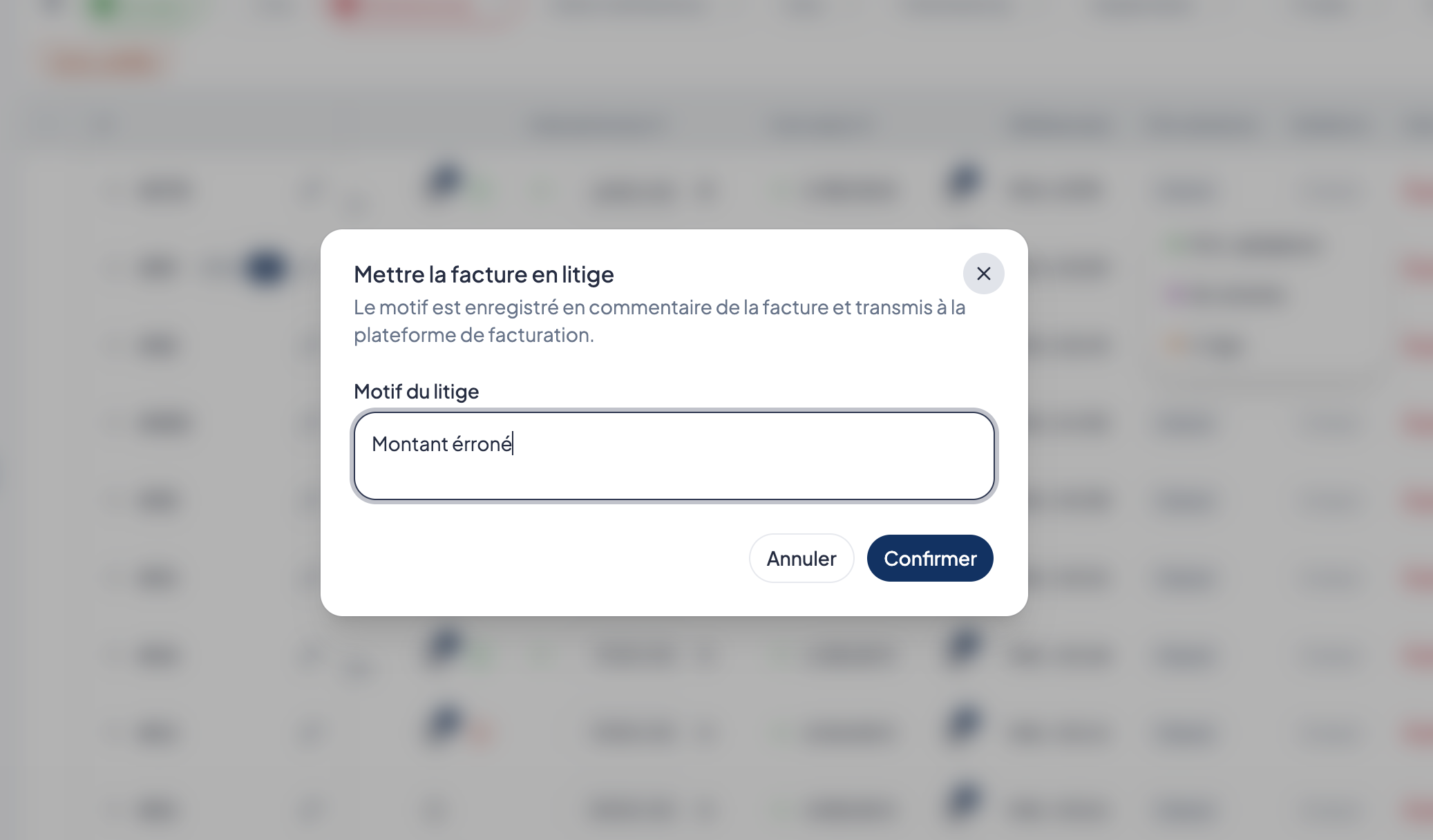
Nous avons amélioré la gestion des factures mises en litige :
✅ Lors d’une action groupée, le motif de litige est uniquement enregistré si le changement de statut est accepté.
📩 L’e-mail envoyé au prestataire indique maintenant clairement la facture concernée, le motif du litige et la suspension de son règlement jusqu’à sa résolution.
🌍 Son contenu a également été harmonisé dans les 13 langues disponibles, avec un accès direct à l’intervention concernée.
🔒 Des e-mails plus sûrs et des liens de nouveau opérationnels
La sécurité et la fiabilité des e-mails envoyés par Bob! Desk ont été renforcées. 🔒
Les textes renseignés dans l’application, comme le titre d’un sinistre ou un commentaire, sont désormais toujours affichés correctement, y compris lorsqu’ils contiennent des caractères inhabituels.
Nous avons également corrigé les boutons présents dans les e-mails du lundi matin, des maintenances en retard et des appels d’offres : ils redirigent de nouveau vers la page attendue. ✅
🌍 Réserves et rapports
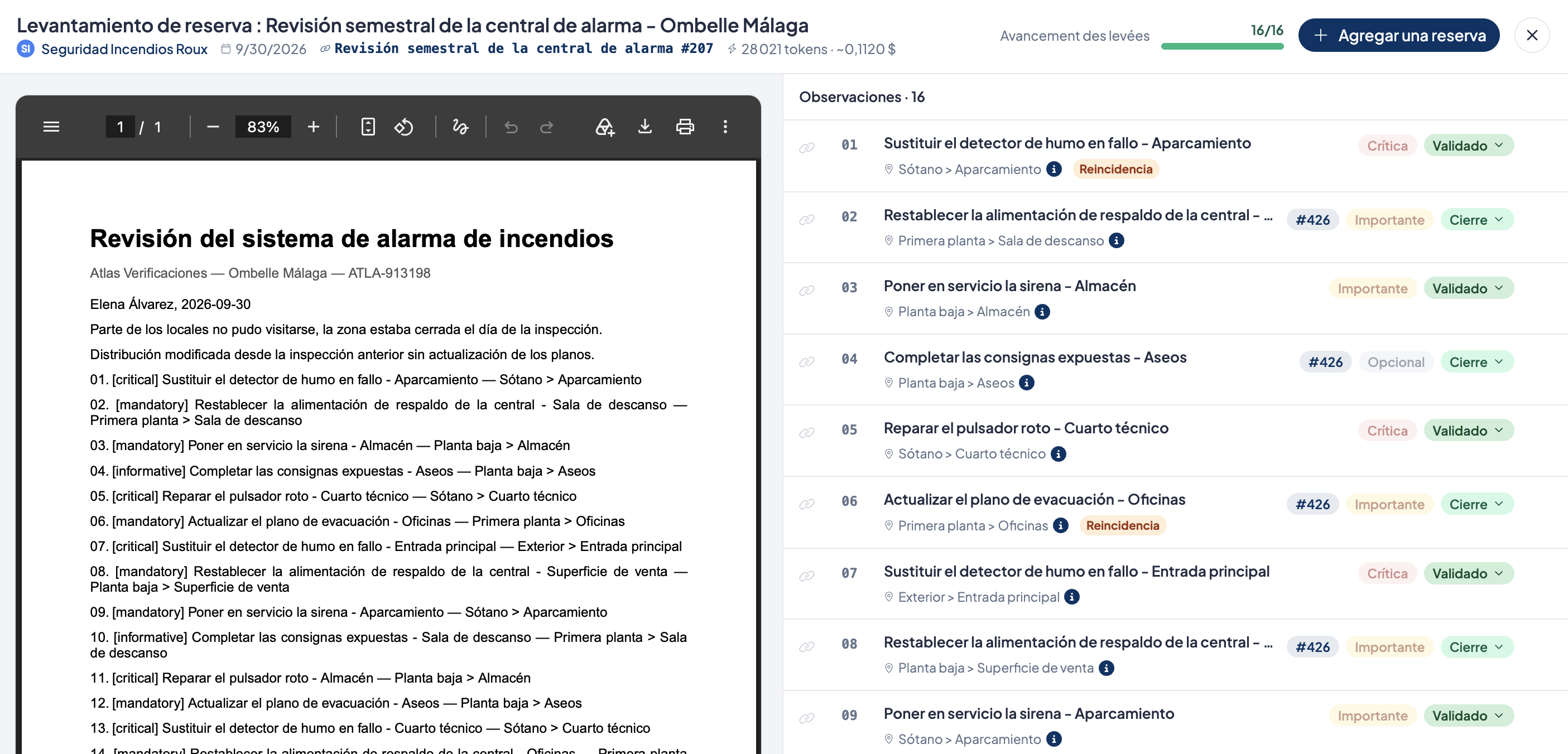
Des réserves traduites automatiquement
Lors de la création d’une réserve, vous pouvez maintenant indiquer la langue utilisée. Son contenu est automatiquement traduit dans les 12 autres langues disponibles dans Bob! Desk.
Chaque utilisateur peut ainsi consulter la réserve dans sa langue. Si le texte d’origine est corrigé, les traductions sont actualisées automatiquement. Il reste également possible de modifier manuellement une traduction.
Des rapports plus simples à partager et à suivre
Depuis le menu d’un rapport, les gestionnaires peuvent désormais le rendre visible à l’ensemble des prestataires.
Plusieurs améliorations facilitent également le suivi :
les rapports sans réserve sont clairement identifiés ;
l’origine des données reste visible lorsqu’un prestataire change en cours d’intervention ;
le statut d’une période de maintenance se met correctement à jour lorsque toutes les réserves sont levées ;
vos filtres sont conservés après la consultation d’un rapport en plein écran ;
la suppression d’un rapport retire également son PDF de la période concernée.
🛠️ Interventions et maintenance
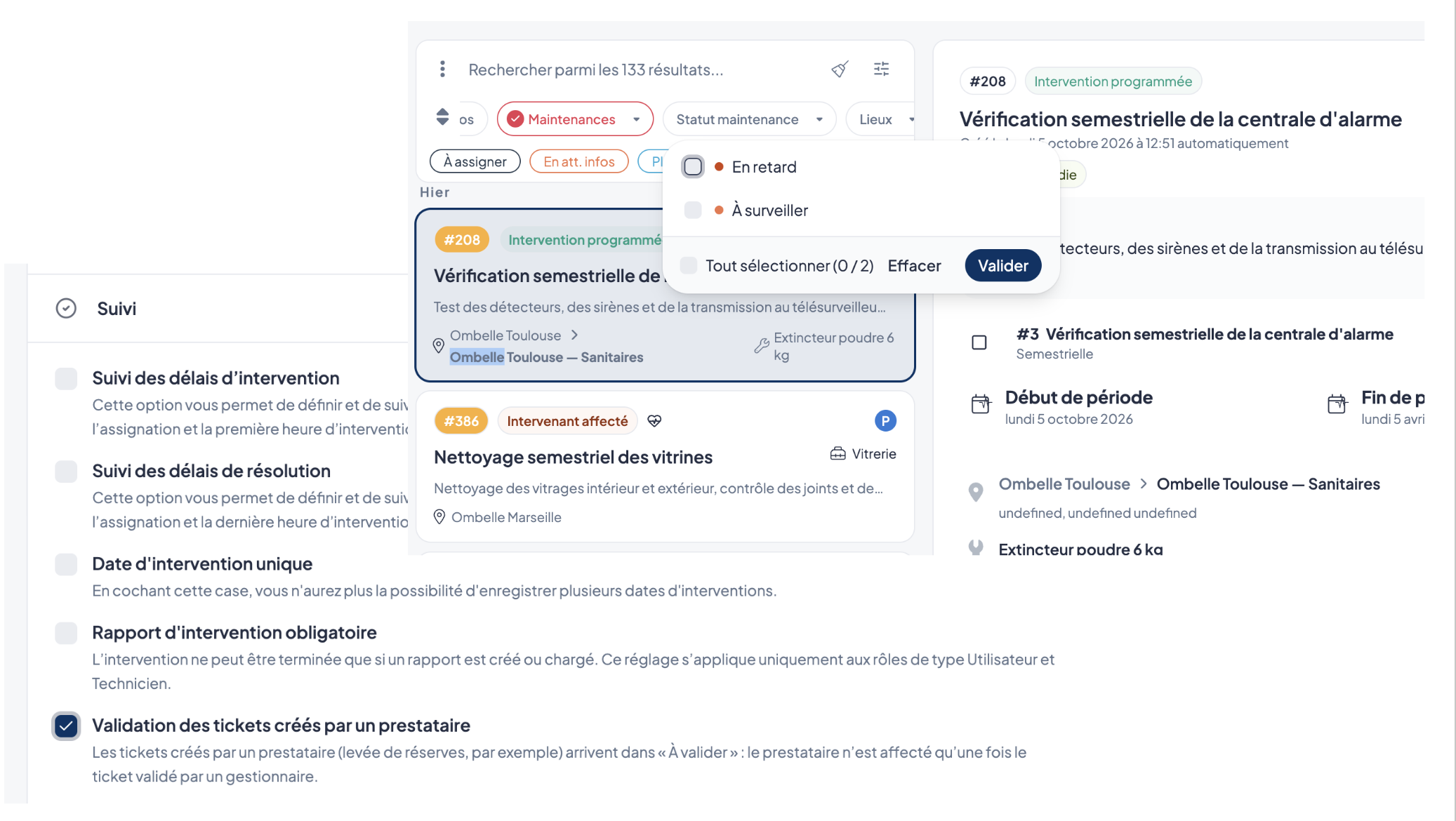
Validez les tickets créés par vos prestataires
Une nouvelle option est disponible dans Réglages > Interventions > Suivi : Validation des tickets créés par un prestataire.
Lorsqu’elle est activée, les tickets concernés sont créés avec le statut En attente de validation. Ils ne sont affectés à personne avant leur validation et une pastille Prestataire permet de les repérer dans la liste.
Cette option est désactivée par défaut.
Filtrez les maintenances selon leur statut
Un nouveau filtre Statut maintenance permet d’afficher les interventions selon l’état de leur échéance :
en retard ;
à surveiller ;
en cours.
Ce filtre apparaît automatiquement lorsque vous sélectionnez les maintenances dans la liste des interventions.
Des statuts et notifications plus fiables
Les tickets dont la date planifiée est dépassée changent de nouveau automatiquement de statut.
Les notifications d’intervention à valider sont envoyées à toutes les personnes autorisées sur le périmètre du ticket, y compris les responsables de secteur.
Les e-mails d’assignation affichent désormais les champs personnalisés partagés avec le prestataire.
🧾 Facturation
🧾 Facturation
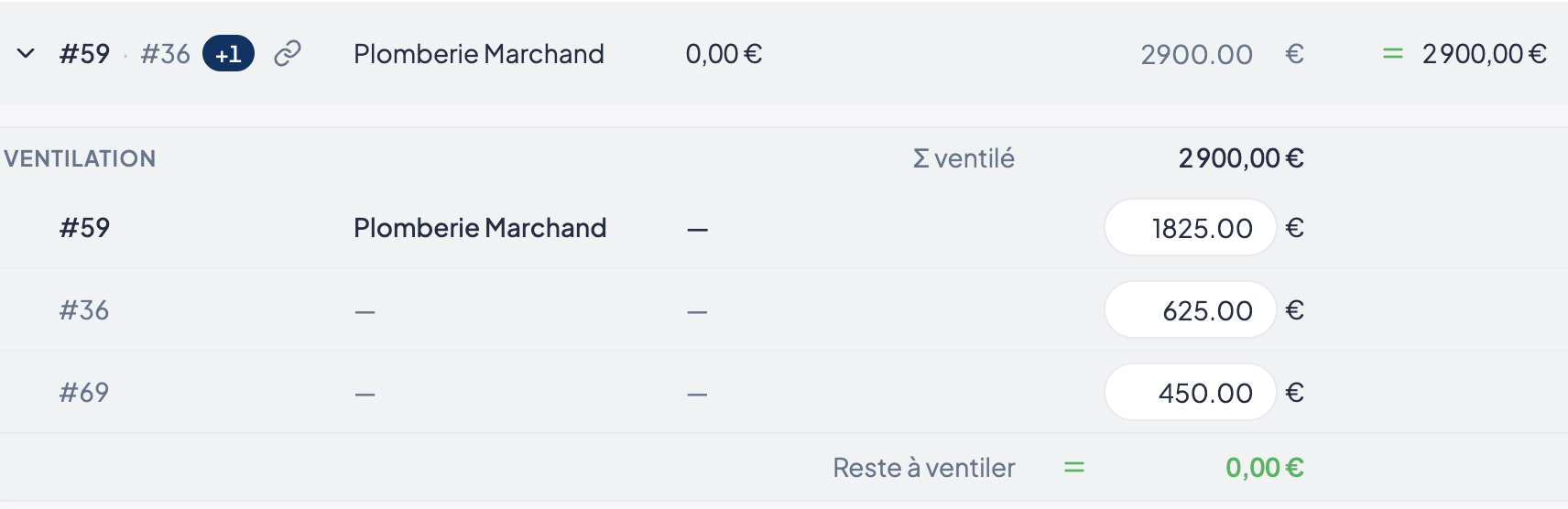
Une ventilation plus lisible
La présentation de la ventilation des factures a été repensée :
les montants sont mieux alignés ;
l’en-tête reste visible pendant le défilement ;
la facture principale est mise en valeur ;
les lignes ventilées sont plus faciles à distinguer.
Une gestion des refus plus complète
Les huit motifs de refus sont de nouveau proposés, dont Autres. Le motif choisi et le commentaire du gestionnaire sont désormais transmis séparément à la plateforme.
Le motif Non concerné permet au document de poursuivre son parcours vers l’étape suivante. Une facture en litige reste en attente jusqu’à la résolution du litige.
L’e-mail de mise en litige peut également être désactivé selon le rôle de l’utilisateur.
✨ Des améliorations pour simplifier votre quotidien
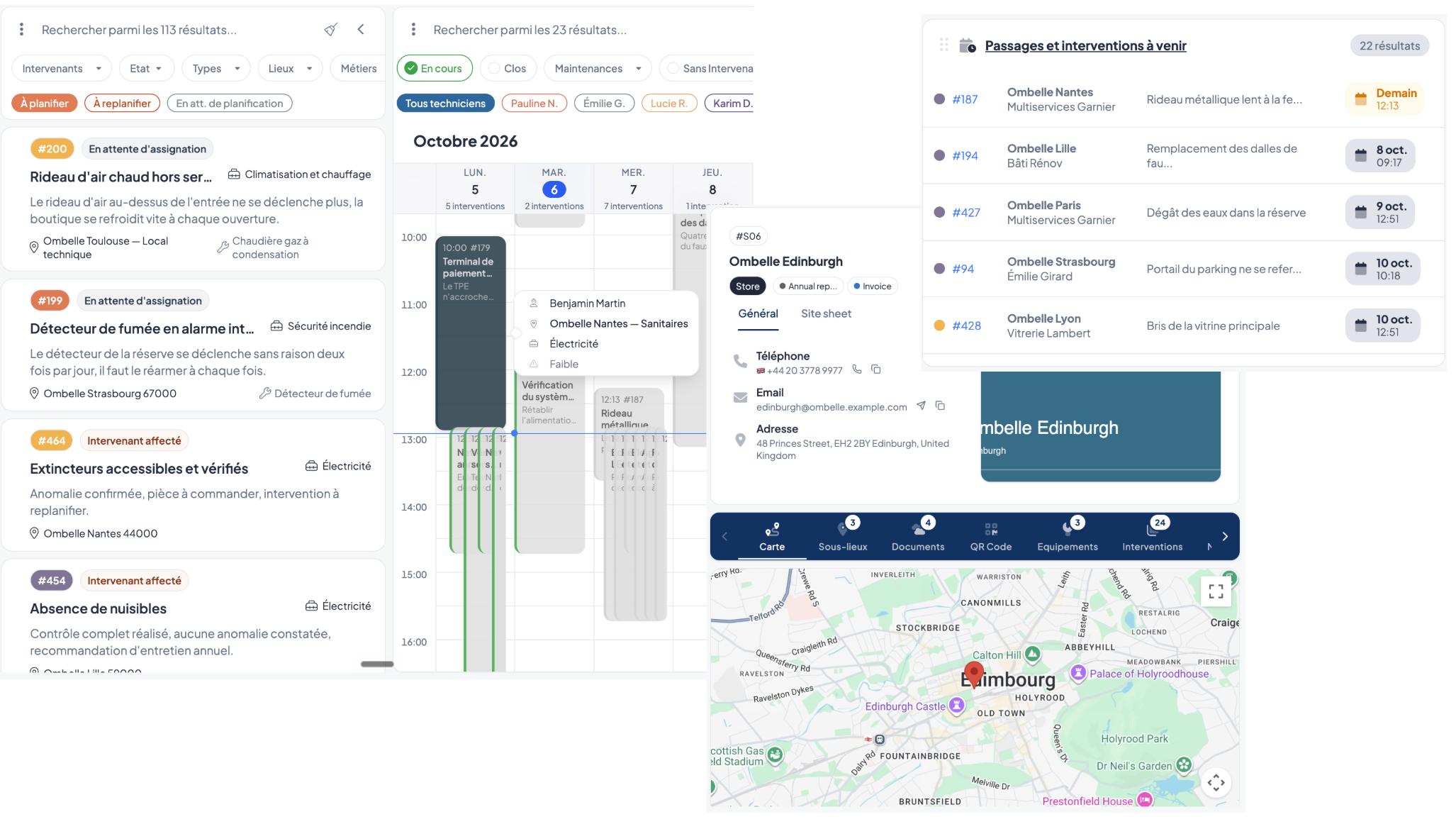
📅 Agenda et tableau de bord
Un agenda plus précis
Le nom du site apparaît maintenant à côté de son adresse dans l’aperçu d’un ticket. Les couleurs de l’agenda sont également actualisées après une assignation.
Des raccourcis fiables sur le tableau de bord
Les liens de la carte Passages et interventions à venir affichent désormais les rendez-vous attendus, même lorsqu’un jeu de filtres personnel est enregistré.
Le classement par date de rendez-vous reste également correct lorsque plus de 100 événements sont affichés.
🔐 Permissions et rôles
Les permissions sont désormais mieux prises en compte pour :
les exports ;
les modèles de rapport ;
la création et la suppression des tags.
Les actions non autorisées sont directement masquées afin de rendre l’interface plus claire. Les droits des rôles existants ont été ajustés automatiquement lorsque cela était nécessaire.
📍 Lieux et données
La ville est désormais correctement reconnue dans davantage de formats d’adresse, notamment pour certaines adresses britanniques, communes italiennes et certains quartiers.
Les modules Compteurs, Baux et Garanties ont également bénéficié d’améliorations de fiabilité, sans changement dans leur utilisation.
🎨 Interface
Dans les paramètres, une flèche Retour à l’application remplace la croix de fermeture.
Lorsqu’un devis, une facture ou un rapport ne peut pas être supprimé, Bob! Desk affiche maintenant une explication précise pour vous aider à comprendre la situation.
📊 Un tableau de bord Interventions enrichi
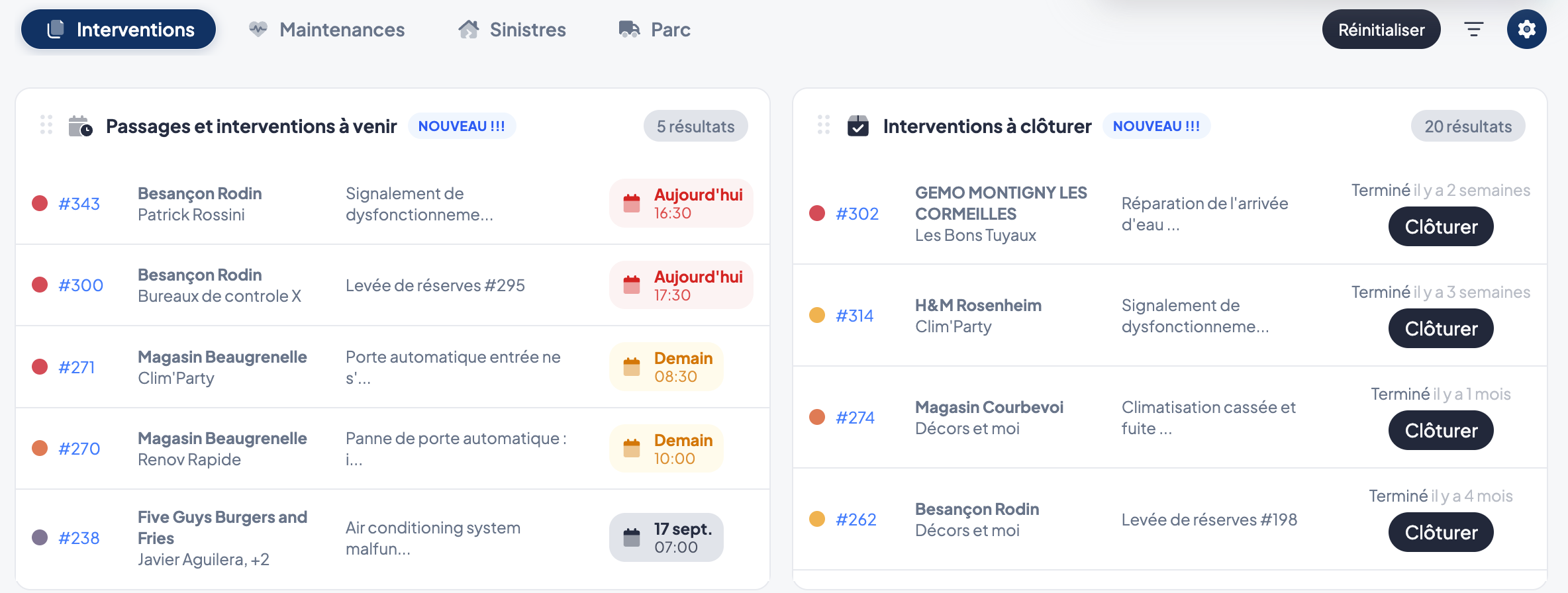
Le tableau de bord curatif évolue pour vous donner une meilleure visibilité sur les prochaines actions à réaliser.
Vous pouvez désormais retrouver directement :
📅 les passages à venir ;
🔧 les interventions à venir ;
✅ les interventions restant à clôturer.
De quoi identifier plus rapidement les interventions qui nécessitent votre attention.
🔧 Plus de flexibilité dans le suivi de vos maintenances
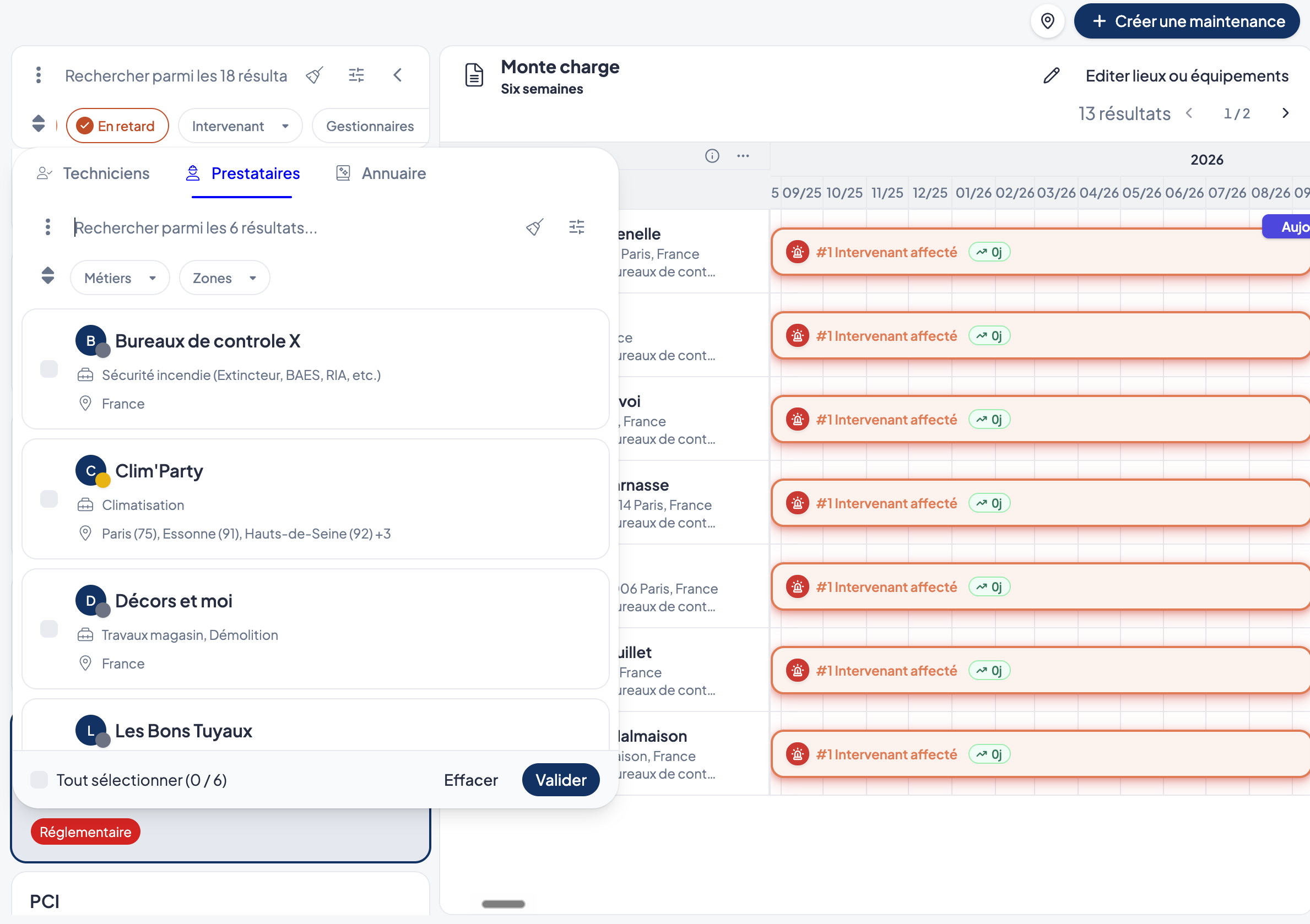
Plusieurs nouveautés facilitent le suivi de vos maintenances et de leurs réserves :
📋 La gestion des rapports de maintenance et des réserves évolue : lorsqu’un prestataire charge un rapport sur une maintenance, celui-ci reste la propriété du créateur de la maintenance. Il en va de même pour les tickets de levée de réserves associés.
Côté prestataire, le module Réserves affiche uniquement les rapports :
contenant des réserves qui lui sont attribuées ;
ou associés à des maintenances qu’il a lui-même créées.
🔒 Chaque prestataire se concentre ainsi uniquement sur les réserves et maintenances qui le concernent.
👷 Filtrez vos maintenances par intervenant pour retrouver plus rapidement celles qui concernent une personne donnée.
👥 Vous pouvez désormais attacher des utilisateurs à une maintenance pour identifier les personnes concernées par son suivi.