
Bob! Desk changelog
New Reserves module: manage your reserves end to end
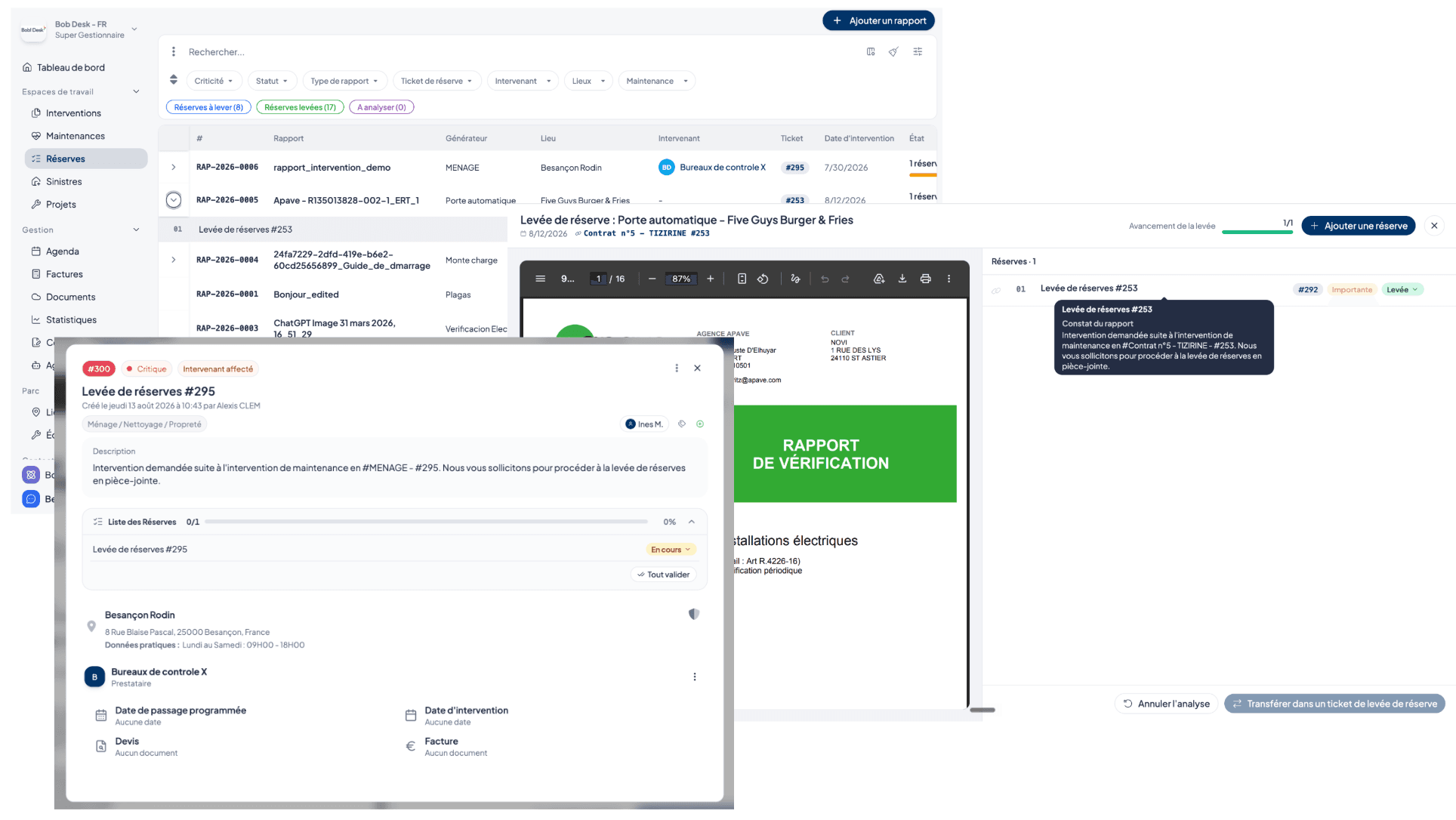
Reserve tracking is evolving in Bob! Desk with a brand new dedicated module, designed to centralize their identification, processing and validation. 🛠️
📋 Complete reserve tracking
Each maintenance report now has its own list of reserves. For each one, you can track its criticality, its status (To resolve → In progress → Resolved → Validated), identify any recurrences and link it to a reserve resolution ticket.
Reserves can be filtered, selected and grouped into resolution tickets. They are also accessible to service providers and technicians as a checklist to make on-site processing easier.
🔒 You can also choose to prevent the closure of a resolution ticket as long as all associated reserves have not been resolved.
🤖 Automatic AI analysis of reports
AI analysis of reports can be enabled from Settings to automatically identify the reserves mentioned in your reports.
You choose the scope of analysis: internal Bob! Desk reports, external reports, or both.
🌍 For international teams, the reserves identified by the AI are shown in the language of the user's account.
🔐 Dedicated permissions
The module has its own permissions to precisely define the actions available to each role: view, create, edit, unlink or link a reserve to a resolution ticket, validate the resolution of a reserve, delete, change the status.
👉 Your old reserves are automatically carried over into this new module with their criticality, their status and their original resolution ticket.